
22 hours ago
A Guide to Extract YouTube Comments for Analysis in 2026
Tapping into YouTube comments is like plugging directly into the world’s largest focus group. No-code tools make this incredibly simple, transforming messy public discussions into clean, structured data in minutes. No programming required. For anyone from marketers to researchers, it’s the fastest way to gather a massive amount of audience feedback.
Why YouTube Comments Are a Business Goldmine
Forget thinking of YouTube comments as just an engagement metric. They’re a real-time, unfiltered conversation about your brand, your products, and your entire niche. The smartest folks in marketing and research are figuring out how to turn these raw, scattered conversations into powerful insights that actually shape business decisions. When you extract these comments, you’re building a searchable database of what people really think.
This gives you a direct line to the genuine thoughts, feelings, and pain points of your community. It’s one of the most honest ways to understand your audience on a much deeper level.
Who exactly is doing this and why? It’s a surprisingly diverse group, from startup founders to academic researchers, each with a unique goal in mind.
Who Benefits from Extracting YouTube Comments?
| User Persona | Primary Goal | Example Use Case |
|---|---|---|
| Market Researcher | Understand consumer sentiment and identify market gaps. | Analyze comments on a competitor’s product launch video to gauge public reaction and find feature complaints. |
| Content Creator | Source new video ideas and engage the community. | Scour comments for frequently asked questions to create a “Q&A” or “How-To” video that directly addresses audience needs. |
| Brand Manager | Monitor brand health and track campaign performance. | Extract comments from a new ad campaign video to measure sentiment and see if the messaging is resonating positively. |
| Product Manager | Gather user feedback and identify pain points. | Sift through comments on a software tutorial to find users struggling with a specific feature, flagging it for the development team. |
| Academic Researcher | Study online discourse and social trends. | Analyze comment threads on political videos to understand how different viewpoints are discussed and debated online. |
| Startup Founder | Validate a new business idea and find early adopters. | Analyze comments from videos in a target niche to see if people are complaining about problems the startup’s product could solve. |
Ultimately, anyone looking for authentic, unsolicited feedback can find incredible value here. It’s about moving from assumptions to data-driven decisions.
Find Customer Pain Points and Product Ideas
Look closely, and you’ll see your audience using the comment section to air their frustrations, ask for help, or even pitch improvements. A gaming channel might see viewers repeatedly mention they’re stuck on a certain level. That’s a clear signal to create a detailed tutorial video. In the same way, a software company can spot multiple users requesting a new feature, which is pure gold for validating their product roadmap.
By systematically analyzing comments, you move beyond guesswork. You’re using real customer feedback to identify and solve problems, which is the foundation of any successful product or content strategy.
This kind of direct feedback loop is incredibly valuable. It helps you prioritize what to build or create next based on proven demand, not just a hunch.
Measure Brand Sentiment and Competitor Performance
How do people really feel about your brand? The comments section offers the unfiltered truth. You can track whether the conversation is trending positive, negative, or neutral over time, especially right after a big product launch or a new marketing campaign. A sudden spike in negative comments on a competitor’s video could be a huge signal, pointing to a market gap your brand can swoop in and fill.
This isn’t just about you, either. Analyzing the comments on your competitors’ channels is like having a spy on the inside. You can quickly find out what their audience loves, what drives them crazy, and where they feel underserved.
Spot Emerging Trends and Source Content
The comment section is often ground zero for new trends. Viewers might reference a new meme, shout out a related creator, or suggest a topic they’re dying for you to cover. Think about it: with 2.85 billion monthly active users, YouTube generates an unbelievable amount of feedback every single day.
Even a tiny comment-to-view ratio on a platform with over 1 billion hours of daily watch time adds up to a mountain of unstructured data. This is precisely why tools that can process 750,000 comments in under 30 minutes are becoming non-negotiable for serious social media managers. If you want to dive deeper, you can explore more of these incredible YouTube statistics and see what they mean for creators.
Choosing Your Method: No-Code Tools vs. The YouTube API
So, you need to pull YouTube comments. You’ve basically got two roads you can take. The first is the easy-to-navigate path of no-code tools, built for anyone who needs data now without a fuss. The other is the more technical, powerful route using the YouTube Data API, which gives you complete control but demands some coding chops.
Your choice really boils down to your project’s needs, your comfort level with code, and how quickly you need to see results. A no-code tool can get you a spreadsheet full of comments in minutes. The API, on the other hand, lets you build something truly custom from the ground up.
This decision tree can help you picture which path makes the most sense for what you’re trying to achieve, whether that’s digging for customer feedback or spotting the next big trend.
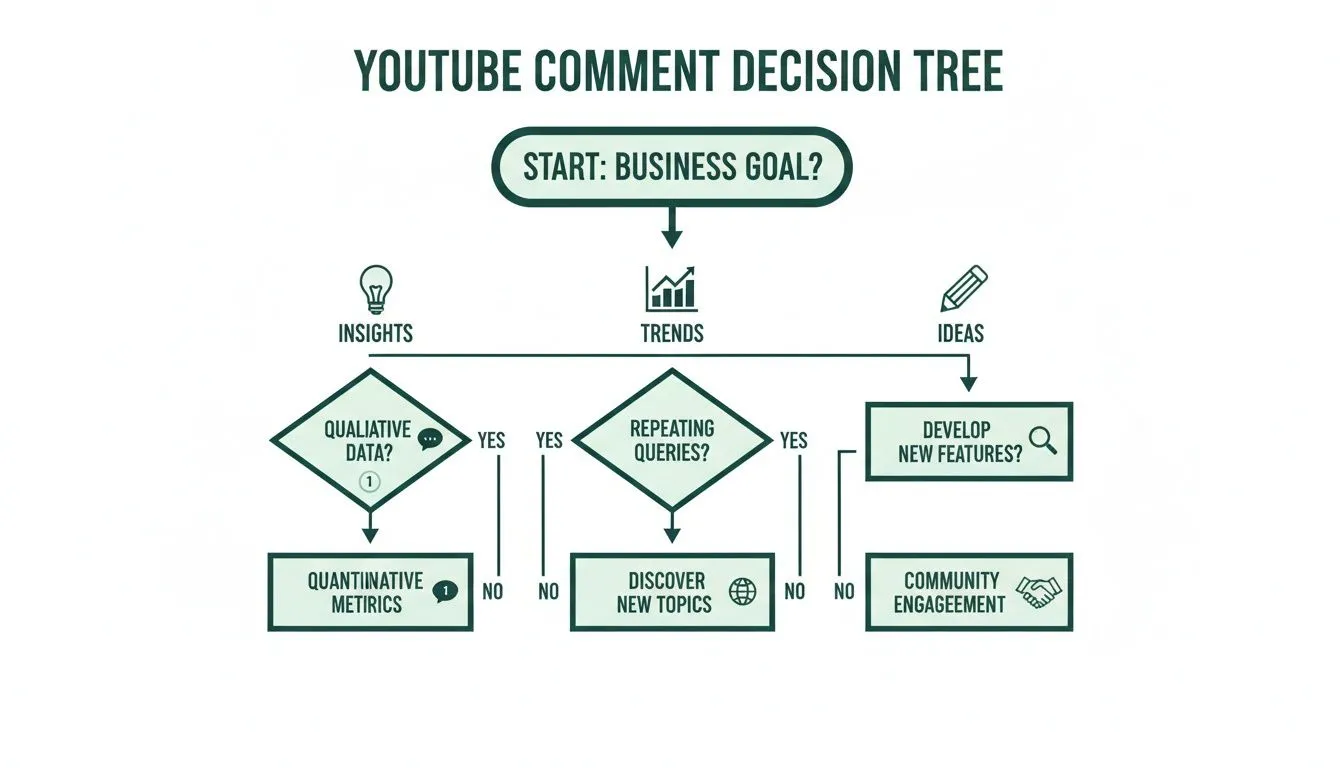
As you can see, no matter where you start, it all leads to collecting and analyzing data to inform real business decisions.
The No-Code Tool Approach
No-code tools are designed with one goal in mind: making data extraction dead simple for everyone. They tear down the technical barriers, letting marketers, researchers, and creators jump straight to finding insights. You just paste a video URL, pick a few settings, and download a clean, ready-to-use file.
This route is perfect if you need to:
- Move fast. You can get a dataset from thousands of comments in the time it takes to brew a pot of coffee.
- Skip the technical setup. No API keys to generate, no scripts to debug, and no environments to configure. It just works.
- Get rich metadata easily. Good tools will automatically pull in useful details like author names, like counts, and full reply threads without you having to ask.
Think of it this way: you can either order a meal from a restaurant or buy all the ingredients and cook it yourself. One is fast, reliable, and gets the job done. The other gives you total control. For most analysis tasks, the restaurant (the no-code tool) is more than enough.
The YouTube Data API Path
The YouTube Data API is Google’s official gateway for developers to interact with YouTube’s platform programmatically. It’s the engine that runs countless third-party apps and offers incredible flexibility if you know how to wield it.
That power comes with a healthy dose of complexity. To use the API, you’ll have to navigate the Google Cloud dashboard, generate an API key, and then write code (usually Python) to make requests and process what comes back. You also have to keep a close eye on your API quota, which is a daily cap on how many requests you can make.
The API is the right call for building custom, automated workflows. Think of pulling comment data directly into your company’s dashboard or feeding it into a unique software tool. But for one-off research projects, the setup and maintenance can be a massive time sink.
A common mistake I see is people underestimating the development time and the hassle of managing quotas. Hitting your daily limit can bring your data collection to a dead stop, which is a huge problem if your research is time-sensitive.
Making the Right Decision for You
To help you decide, let’s break down how the two methods stack up against each other.
| Feature | No-Code Tool | YouTube Data API |
|---|---|---|
| Setup Time | Seconds to minutes | Hours to days |
| Technical Skill | None required | Coding knowledge (e.g., Python) needed |
| Speed | Very fast for bulk extraction | Slower due to rate limits and quotas |
| Cost | Often subscription or credit-based | Free within quota, but development time is a cost |
| Data Richness | Pre-selected, relevant metadata | Fully customizable data retrieval |
| Best For | Marketers, researchers, creators needing quick insights | Developers building custom integrations |
It can be helpful to see how this compares to other data-gathering tasks. For instance, looking at the top YouTube tag extractor tools shows how specialized software makes life easier for SEO pros, much like a good comment tool simplifies audience research.
Ultimately, it comes down to this: if your goal is to analyze comments for sentiment, find trends, or get new ideas, a no-code tool is the most efficient path forward. If you’re building an application that needs to integrate YouTube data as part of a larger system, then you’ll need to roll up your sleeves and work with the API.
How to Use a No-Code YouTube Comment Extractor
If you need to extract YouTube comments without writing a single line of code, no-code tools are your best bet. They’re built for one thing: turning a chaotic mess of public discussion into a clean, organized dataset, and they do it fast. It’s all about getting the job done with just a few clicks.
Getting started is usually as simple as it gets. You just need the URL. No hunting for video IDs or messing with complicated inputs. Just copy the link to the YouTube video, playlist, or even an entire channel you want to analyze, then paste it straight into the tool. That’s it.
This straightforward approach lets you sidestep all the technical setup hurdles you’d face with APIs or scripts. You can start pulling comments almost instantly, which is perfect when you’re on a deadline, like analyzing feedback on a new product launch or tracking public sentiment during a live event.
Here’s a look at a typical no-code tool’s interface. Notice how clean it is. Just a single field for your URL and a button to get started.
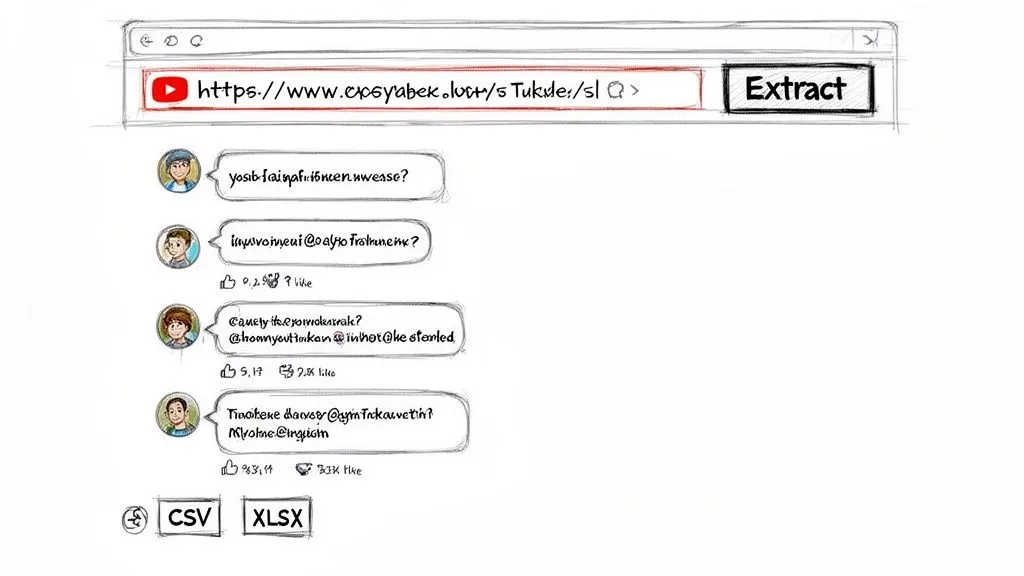
The best tools are designed to be intuitive, guiding you from a simple link to a rich dataset without any guesswork.
Capturing More Than Just Text
One of the biggest advantages of a dedicated tool is the depth of the data it collects. You’re not just getting the comment text. You’re getting all the surrounding metadata, which provides the context you need to truly understand the conversation.
A good extractor will automatically grab:
- Author Information: The commenter’s name and unique channel handle.
- Engagement Metrics: How many likes each comment received.
- Reply Structure: The complete thread hierarchy, so you can see who is replying to whom.
- Timestamps: When each comment was posted or last updated.
- Direct Links: A permalink that takes you directly to that specific comment on YouTube.
This extra data is gold. For instance, you can instantly sort the comments by likes to see which opinions resonated most with the audience. And by preserving the thread structure, you can follow an entire debate from start to finish instead of just reading isolated statements.
Launching Bulk Extractions
This is where these tools really shine. Instead of pulling comments from one video at a time, you can give it the URL for an entire channel or playlist and download everything in one go. For any kind of large-scale research, this is a massive time-saver.
Imagine you’re a market researcher tasked with analyzing every comment on a competitor’s channel from the last year. Doing that manually would be a nightmare. With a no-code tool, you can set up that job in minutes and let the software handle all the heavy lifting. You can find more tips on this in our guide to the desktop app for bulk comment extraction.
This is what separates a simple, one-off data pull from serious, scalable analysis. You can process thousands of videos and hundreds of thousands of comments, building a comprehensive dataset that would be practically impossible to assemble by hand.
Brand managers use this to monitor sentiment across all their video content, and creators use it to mine their entire comment history for new video ideas.
Filtering and Exporting Your Data
Once all the comments are collected, the final step is getting the data into a format you can work with. High-quality tools offer a variety of export options to fit different needs.
Typically, you can export your data as:
- XLSX: Perfect for opening directly in Microsoft Excel or Google Sheets, where you can sort, filter, and create pivot tables.
- CSV: A universal format that’s compatible with almost any data analysis software or database.
- JSON: The best choice for developers or data scientists who need to parse structured data with nested replies.
- TXT: A clean, plain-text format that’s great for feeding into AI tools like ChatGPT for summarization or thematic analysis.
Many of these tools also have powerful search and filtering functions built right in. Before you even export, you can find every mention of a specific keyword, brand, or question across thousands of comments. This pre-analysis step lets you zero in on the most relevant conversations immediately, turning a sea of data into targeted insights without ever touching a line of code.
So, you’ve pulled a massive list of YouTube comments. That’s a fantastic starting point, but let’s be real. A folder full of raw data isn’t worth much on its own. The magic happens when you turn those thousands of individual voices into a clear story that can actually inform your strategy.
This is where you shift from just collecting comments to truly analyzing them.
Think of each export format as a different key, unlocking a specific type of analysis. It’s never about which format is “best,” but which one is right for the job at hand. Are you a marketer hunting for sentiment trends, or a researcher mapping online conversations? Your workflow starts the second you hit “download.”
Choosing the Right Export Format for Your Goal
The file format you choose directly impacts what you can do with your data. Making the right choice upfront saves a ton of time and ensures your analysis tool can read the data correctly.
| Export Format | Best For | Example Application | Key Feature |
|---|---|---|---|
| XLSX | Quick analysis in Excel or Google Sheets | Sorting comments by likes to find top fans. | Pre-formatted columns and filter-ready. |
| CSV | Large-scale data analysis and scripting | Importing into Python or R for statistical analysis. | Universal compatibility with software. |
| JSON | Preserving conversation threads | Analyzing the back-and-forth of a comment debate. | Maintains nested reply hierarchy. |
| TXT | AI-powered analysis and summarization | Pasting into ChatGPT to identify common themes. | Clean, unstructured text for LLMs. |
Ultimately, your goal dictates the format. For quick-and-dirty insights, XLSX is your friend. For deep, programmatic analysis, CSV or JSON is the way to go.
Workflows for Marketers and Brand Managers
When you’re a marketer, you need insights, and you need them fast. This is why an XLSX export is usually the most direct route. It drops all the comment data neatly into Microsoft Excel or Google Sheets, tools you already know how to use.
From there, you’re just a few clicks away from real insights. Pop open a pivot table to group and summarize the data instantly. Want to know who your most loyal followers are? Just sort the entire dataset by the author’s handle. Then, add a secondary sort by “Like Count” to see which of your regulars are also creating the most popular comments. These are your superfans, the people you should be engaging for feedback.
Pro Tip: I love using a simple filter to find all comments containing a question mark or phrases like “how do I.” Instantly, you have a crowdsourced FAQ list. This is gold for figuring out what your next tutorial video or support article should be about.
You can even do some basic sentiment analysis right in the spreadsheet. Add a new column and quickly tag comments as “Positive,” “Negative,” or “Neutral.” It’s a manual process, but it gives you a surprisingly accurate feel for how an audience is reacting to a new product or campaign without needing any fancy software.
Strategies for Researchers and Data Analysts
For academic or market researchers, the datasets are often huge, and preserving every last detail is non-negotiable. When you extract YouTube comments for a serious study, you need a format that respects the data’s structure. This is where CSV and JSON exports are indispensable.
A CSV file is the universal language of data tools. You can effortlessly import it into statistical software like R or SPSS, or use it with Python libraries like Pandas. This opens the door to large-scale quantitative work. Tracking keyword frequency over a year, for example, or correlating comment volume with view counts after a major event.
JSON files, on the other hand, are perfect for when the conversation’s structure is just as important as the content. Because JSON preserves the nested hierarchy of replies, you can programmatically trace an entire argument from the top-level comment down through every single response. You’re not just seeing what was said, but how the conversation actually unfolded. A flat file like a CSV just can’t give you that.
Modern Analysis with AI Tools
Large language models have completely changed the game for text analysis. A clean TXT export is the perfect fuel for AI tools, whether you’re using something like ChatGPT or a more specialized platform. This workflow is incredibly powerful for getting high-level summaries and spotting themes you might have missed.
You can simply paste the text file’s contents into an AI chat prompt and give it direct commands:
- “Summarize the top 5 most common themes in these comments.”
- “Pull out the most frequently asked questions from this text.”
- “Categorize these comments into four groups: positive, negative, suggestion, and question.”
This approach puts insight generation into hyperdrive. If you want to automate this further, our guide on using an AI Comment Analyzer shows you how. You can even take it a step further and use your extracted data to build a YouTube Q&A bot that automatically answers common questions, turning your analysis into a genuinely helpful tool for your audience.
Best Practices for Bulk Extraction and Ethical Data Handling
Pulling comments at scale is more than just a technical task. It’s about having a smart, responsible strategy. When you’re ready to extract YouTube comments from a whole channel or a long playlist, you’re tapping into a massive stream of public data. Having a solid plan from the start is the key to getting what you need without causing headaches for yourself or the platform.
Forget brute-force data dumps. The best approach is to treat it like a targeted research project. A little planning up front saves a ton of time, keeps you on the right side of the rules, and gives you much cleaner, more useful data for your analysis.
Managing Large-Scale Extractions
When you’re staring down a channel with thousands of videos, your best friend is organization. Before you even think about copying that channel URL, get specific about what you’re trying to accomplish. Do you only need comments from the past six months? Are you only interested in conversations around a specific product?
A few practical habits can make all the difference:
- Break It Down: Instead of trying to grab every single comment from a 5,000-video channel in one go, segment the job. You could run separate extractions for different playlists or content themes. This keeps your datasets from becoming bloated and makes the analysis phase much easier to handle.
- Filter Upfront: If your tool has filtering options, use them before you start the export. For instance, you can pull only comments that contain a certain keyword or ask a question. This drastically slims down your final dataset, leaving you with only the most relevant material.
- Run Big Jobs Off-Peak: For massive extractions, consider running them overnight or during weekends. While not a magic bullet, hitting the platform when traffic is generally lower can sometimes result in a smoother process.
Adopting these practices turns what could be an overwhelming data grab into a manageable, structured workflow. For a deeper dive, check out our guide on how to bulk download YouTube comments for more advanced techniques.
Ethical Considerations and Terms of Service
Working with public data always comes with a dose of responsibility. YouTube comments are out there for everyone to see, but it’s vital to handle that data in a way that respects the platform’s rules and the people who wrote the comments.
YouTube’s Terms of Service are pretty direct about not hammering their servers with unreasonable requests. This is exactly why using a specialized extraction tool is a smarter and more ethical choice than a generic tool that might violate terms of service. Such tools can put your access at risk.
A good, purpose-built tool is designed to play by the rules. It fetches data respectfully, making sure your research stays compliant and doesn’t get you into trouble. It’s all about being a good digital citizen.
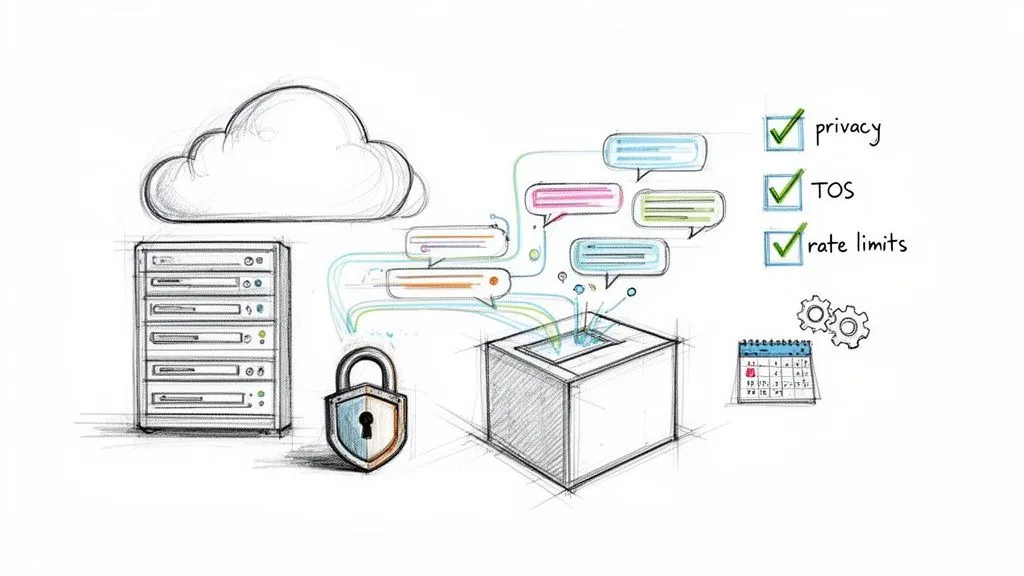
Finally, never forget the people behind the usernames. Every comment you collect is from a real person sharing a thought, an opinion, or a story. Your analysis should focus on understanding trends, patterns, and sentiment. The “what” and the “why” of the conversation. It should not focus on singling out individuals or republishing their personal information out of context.
By pairing efficient bulk extraction methods with a strong ethical compass, you can unlock powerful insights while doing it the right way.
Your YouTube Comment Extraction Questions, Answered
If you’re thinking about digging into YouTube comments, you probably have a few questions. That’s a good thing. Whether you’re a market researcher trying to gauge public sentiment or a creator looking for audience feedback, you want to do it right. Let’s walk through some of the most common things people ask.
Most of the time, the big questions boil down to a few key areas: what’s allowed, what’s possible, and how to actually use the data you get.
Is It Legal to Extract Public YouTube Comments?
Yes, it’s generally fine to extract public comments for your own analysis and research. The crucial word here is public. The data isn’t hidden behind a login or privacy setting. That said, you still need to play by YouTube’s rules.
Their Terms of Service are pretty clear about not hammering their servers with unreasonable requests. This is why using a dedicated tool built for this purpose is the smart move. It’s designed to interact with the platform in a compliant way. It’s a much safer bet than trying to rig up a script that might get you flagged. Just be sure to use the data responsibly and respect user privacy.
Can I Extract Comments from YouTube Shorts and Live Streams?
You absolutely can. Any good, modern extraction tool is built to handle all of YouTube’s different formats, not just the standard videos. This means you can easily extract YouTube comments from regular uploads, Shorts, and even the chat replays from your live streams.
The live stream capability is particularly powerful. A solid tool will capture the chat with timestamps, letting you see exactly what people were saying during key moments of your broadcast. This gives you a full, 360-degree view of your community’s engagement, not just bits and pieces.
This is a game-changer for creators. Imagine being able to pinpoint the exact moment your live chat exploded with excitement. You can use that insight to craft even better streams next time.
When you can pull comments from everywhere, you ensure no part of your audience’s voice gets left behind.
What Is the Best Format to Export Comments for Analysis?
There’s no single “best” format. It really just depends on what you plan to do with the data. Thinking about your final goal before you export will save you a ton of time.
Here’s a quick breakdown:
- For Excel or Google Sheets: Go with XLSX or CSV. These formats drop your data into clean rows and columns, perfect for sorting, filtering, and whipping up quick charts or pivot tables. This is usually the go-to for marketers.
- For AI Analysis (like with ChatGPT): A simple TXT export is often the most effective. It gives the AI raw, unformatted text to summarize or find themes in, which is exactly what it needs to do its job well.
- For Developers or Data Scientists: JSON is your best friend. It preserves the nested structure of comment threads, which is essential if you’re trying to programmatically analyze the flow of a conversation.
How Many Comments Can I Realistically Extract at Once?
This is where the method you choose really matters. If you try to use the official YouTube Data API, you’ll run into strict daily quotas that can bring a large project to a screeching halt.
Dedicated no-code tools, on the other hand, are built for high volume. With a quality tool, pulling hundreds of thousands of comments in a single go is totally feasible. We’ve seen users process data from over 3,000 videos, gathering more than 750,000 comments in less than 30 minutes. That’s the kind of scale you need for a serious channel audit or deep competitor research.
This bulk processing power is what lets you bypass the technical headaches of API rate limits and get to the insights faster.
Will the Extraction Include Replies to Comments?
It better! This is one of the most critical features to look for. If you just get a flat list of top-level comments, you’re missing half the conversation.
A powerful comment extractor will preserve the entire thread hierarchy, giving you the original comment and every single reply nested underneath it. This structure is the only way to understand the context of a debate, see how ideas evolve, and analyze the natural back-and-forth between users. Without it, you’re only getting a fraction of the story.
Ready to stop guessing what your audience thinks and start analyzing their feedback? With a tool like YouTube Comments Downloader, you can transform those chaotic public discussions into structured, actionable data in minutes. Extract your first video’s comments for free and discover the insights you’ve been missing.