
1 day ago
How to Download YouTube Comments for Data-Driven Insights
If you’ve ever tried to make sense of a busy YouTube comment section, you know it’s a chaotic mix of spam, praise, and genuine feedback. But what if you could turn that chaos into a clean, structured dataset ready for analysis? That’s where dedicated tools to download YouTube comments come in. They skip the tedious manual work and the technical hurdles of the YouTube API, making them the go-to choice for creators, marketers, and researchers.
Why YouTube Comments Are a Goldmine of Audience Data
Most people glance at the comment section for a quick laugh or to see the top-voted reactions. But for those in the know, it’s a massive, free database packed with honest feedback, emerging trends, and direct conversations with your audience. Trying to read through thousands of comments one by one is a losing battle. Exporting them is the only way to see what’s really going on.
When you pull all those conversations into an organized file, you suddenly have the power to search, filter, and analyze what your community is actually talking about. It’s the difference between guessing what people want and knowing.
Uncover Hidden Opportunities
This data is incredibly powerful for creators. Let’s say you run a gaming channel. You might notice a few comments here and there asking for a playthrough of a new indie game. But when you export comments from your last ten videos, you might find dozens of similar requests. That’s not just random feedback—it’s a clear, data-driven signal that you have an audience waiting for that exact content. Without a structured export, those individual pleas would just get lost in the noise.
The same goes for brands. A company launching a new gadget can get real-time sentiment from the comments on their launch video. Are people excited? Confused about a specific feature? A quick analysis can reveal insights that a formal survey, which might take weeks to complete, would totally miss.
By transforming jumbled comment threads into a structured dataset, you can uncover hidden trends, gather raw feedback, and understand your audience on a much deeper level. In a world of massive comment volume, manual reading is impossible; downloading the data is the only way to unlock its true value.
Scale Your Audience Understanding
The sheer amount of interaction on a popular YouTube channel makes manual analysis a non-starter. The platform’s comment ecosystem is exploding, with comments jumping by 38% in a single year recently. This isn’t just more noise; it shows a fundamental shift in how viewers engage with videos. With over 2.5 billion monthly active users, the volume of comment data has grown right alongside it, offering an enormous pool of qualitative information. You can dig deeper into these YouTube engagement patterns on Metricool.com.
This growth means that for any video with decent traffic, the comment section is a statistically significant sample of audience opinion. Here’s what you can actually do once you analyze this data at scale:
- Spot Your Superfans: Quickly identify the most active and engaged members of your community who consistently leave thoughtful comments.
- Find Common Questions: Is everyone asking how to use a certain feature? Create a dedicated FAQ video or update your product description.
- Track Brand Mentions: See how viewers are talking about your brand, products, or even your competitors—not just on your channel, but on related ones too.
- Catch Trends Early: Notice new slang, memes, or topics that are catching fire within your niche before they go mainstream.
Ultimately, downloading YouTube comments gives you a powerful research tool. It lets you move beyond simple vanity metrics and start digging into the rich, human data that can genuinely shape your content, your products, and your entire brand strategy.
So, you need to download YouTube comments. Before you dive in, it’s worth taking a moment to think about the best way to get the job done. The right approach really depends on what you’re trying to achieve, how comfortable you are with code, and just how many comments you’re dealing with.
Picking the wrong method can turn a simple task into a massive headache. For instance, if you only need to grab a few comments from one video, you might be tempted to just copy and paste. But I can tell you from experience, that’s a trap. It seems easy, but you instantly lose all the crucial context—timestamps, author details, and the conversational threads between replies. What you’re left with is a jumbled, almost useless wall of text.
Comparing Your Options
For those who can code, the official YouTube API seems like the obvious choice. It gives you direct access to the data and a lot of control. However, it’s not without its own set of problems. You’ll have to deal with strict usage quotas that can stop a large project in its tracks. Plus, you need to set up developer credentials, write the script, and then maintain it. Honestly, for most creators, marketers, or researchers, that’s just not practical.
This is where dedicated third-party tools come in. They sit in that sweet spot between clumsy manual work and the technical nightmare of using the API. These tools are built for one purpose: to download YouTube comments cleanly and efficiently, keeping all the rich data intact.
This quick decision tree shows how the volume of comments should guide your choice.
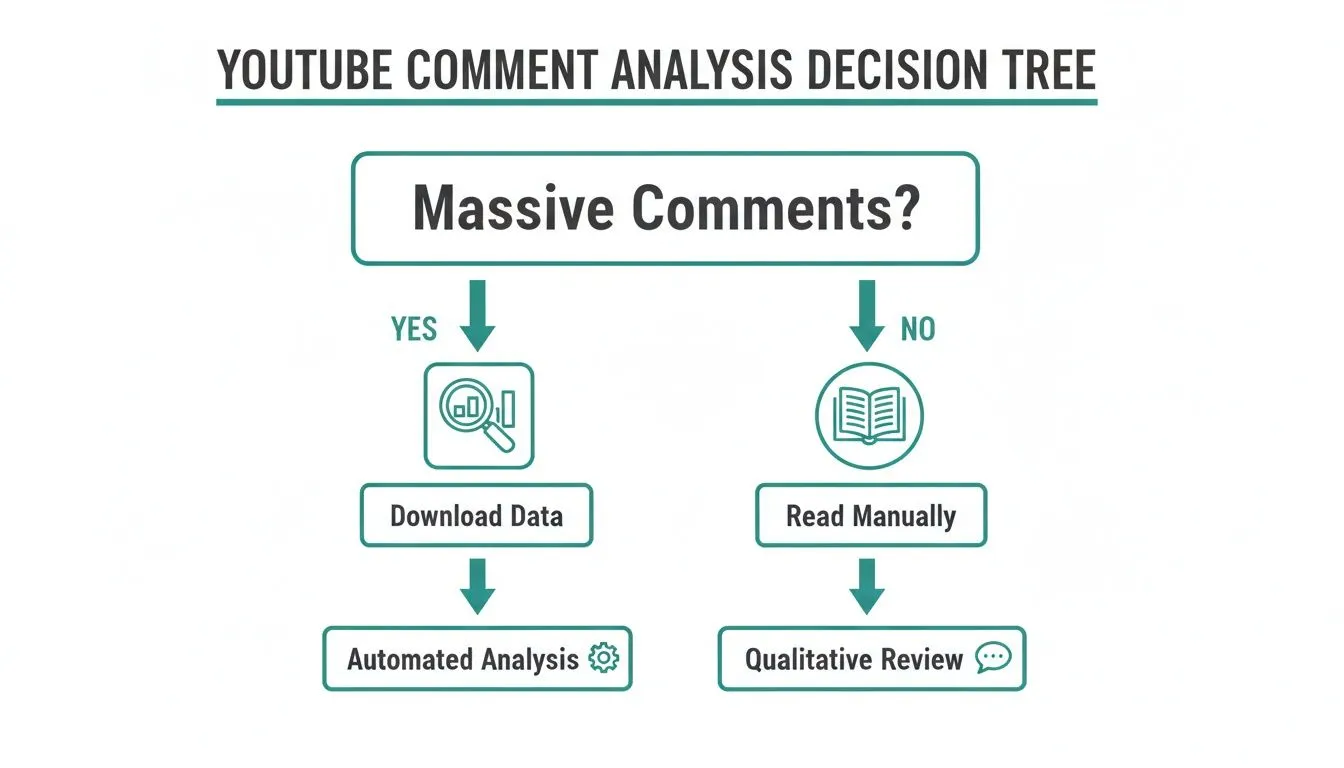
As you can see, once you’re looking at anything more than a handful of comments, an automated tool is really the only sensible way forward.
To make it even clearer, let’s break down how these methods stack up against each other.
Comparison of Comment Download Methods
| Method | Best For | Technical Skill | Scalability | Data Richness (Metadata & Threads) |
|---|---|---|---|---|
| Manual Copy & Paste | Grabbing a handful of comments for a quick quote. | None | Very Low | Poor (Loses all structure and metadata) |
| YouTube Data API | Developers building custom applications or complex analysis scripts. | High (Coding required) | Medium (Limited by strict quotas) | Excellent (Provides full, structured data) |
| Third-Party Tool | Marketers, researchers, and creators needing structured data without coding. | None | High | Excellent (Designed to preserve all data) |
Ultimately, the table shows that for most people, a specialized tool provides the best balance of power and simplicity.
Why a Specialized Tool Is Usually Best
If you’re serious about analyzing comments, a purpose-built tool is the most direct route to getting clean, usable data. These platforms are designed for people who need insights, not another coding project.
Here’s why they almost always win out:
- Preservation of Data Structure: They keep comments and their replies threaded, so you can actually follow a conversation from start to finish.
- Rich Metadata Included: You get all the good stuff—author names, likes, reply counts, and timestamps—which is essential for any real analysis.
- No Technical Barriers: You don’t need to be a developer. Just paste in a video URL and you’re good to go.
- Built for Scale: These tools are made to handle huge datasets from viral videos or entire channels without you ever having to worry about API limits. If you need to do this for multiple videos, you can learn more about how to bulk download YouTube comments in our detailed guide.
Choosing the right method is the first and most critical step in your data analysis journey. For any project beyond a casual glance, a dedicated tool saves hours of manual work and provides a dataset that is immediately ready for analysis in tools like Excel or Google Sheets.
When working with large amounts of public YouTube data, it’s a good idea to stay informed about ethical data handling. The goal is to turn chaotic online chatter into something you can actually use to make smarter decisions, and the right tool makes that possible.
The Easiest Way: Using a No-Code Tool to Export Comments
When you need to get your hands on YouTube comments without wrestling with code or APIs, a dedicated no-code tool is your best bet. Forget the technical headaches; these platforms are built for people who just want the data, clean and simple. The whole process is usually as straightforward as copying a link and clicking a button.
What used to be a complex task is now something anyone can tackle in a few minutes. This is a game-changer for creators, marketers, and researchers who need audience insights but don’t have a developer on standby.
From a Simple URL to a Full Dataset
Your starting point is always the source. Are you trying to see what people thought about one specific, viral video? Or do you need a bird’s-eye view of the conversations happening across an entire channel?
A solid tool will handle either scenario without breaking a sweat. You just grab the URL of the video, playlist, or channel you’re interested in and pop it into the tool. That’s it. The platform does the heavy lifting, navigating YouTube to pull every comment and its replies.
This method keeps the conversational context intact, which is something you lose completely with manual copy-pasting. Instead of a jumbled mess of text, you get a structured dataset where you can clearly see the back-and-forth between users.
Choosing the Right File Format for Your Needs
After the tool has gathered all the comments, you’ll need to decide how to export them. This choice is more important than it sounds, as picking the right format will save you a ton of time later.
Here’s a breakdown of the most common options and when to use them:
- XLSX (Excel): This is the crowd-pleaser. It neatly organizes everything into rows and columns, making it perfect for sorting, filtering, and running quick analyses in Microsoft Excel or Google Sheets. Want to find the most-liked comments or search for a keyword? Start here.
- CSV (Comma-Separated Values): Think of CSV as a universal, no-frills version of a spreadsheet. It’s incredibly versatile and the format of choice for importing data into more advanced tools like a database, R, or Python. If you’re passing the data to an analyst, they’ll likely want a CSV.
- JSON (JavaScript Object Notation): This one’s for the tech-savvy crowd. JSON is brilliant at preserving complex, nested data—like the relationship between an original comment and all its replies. Developers love this format for feeding data directly into custom applications.
- TXT (Plain Text): Sometimes, all you need is the raw text. A TXT file is ideal for feeding comments into AI tools for sentiment analysis or topic modeling. For instance, you could drop a TXT file into a tool like ChatGPT and ask for a summary of the main discussion points.
Your export format is the bridge between the raw comments and your analysis software. Choosing XLSX for a spreadsheet or TXT for AI analysis ensures the file is ready to go right away, saving you from frustrating data conversion steps.
Scenarios: From a Single Video to a Bulk Download
The real power of a no-code tool shines when you start thinking bigger. Analyzing one video is great, but the most powerful insights often come from looking at the larger conversation.
Single Video Analysis
Imagine a company just launched a new product with a big reveal video. By exporting the comments from that single video, their team can get an instant pulse on customer reactions. They can sort by the most-liked comments to see which opinions are resonating or search for mentions of a specific feature to see if it’s a hit or a miss.
Bulk Playlist or Channel Analysis
Now, picture a content creator planning their videos for the next few months. Instead of guessing what to make, they could download all the comments from their “Most Popular” playlist. This massive dataset could reveal recurring questions perfect for a new FAQ video or highlight common themes that viewers absolutely love. That’s how you make decisions with data, not just intuition.
To see a more detailed walkthrough of this process, check out our guide on how to export YouTube comments to Excel.
Whether you’re zeroing in on one video or analyzing an entire channel, the workflow is the same: paste the link, pick your format, and download. It’s this simplicity that truly opens the door to large-scale audience research for everyone.
Turning Raw Comment Data into Actionable Insights
So, you did it. You’ve successfully downloaded all the comments from a YouTube video and now you’re staring at a spreadsheet or text file. This is where the real work—and the real fun—begins. That raw data is a goldmine, and I’ll show you how to turn it into a strategic asset for your channel or brand.
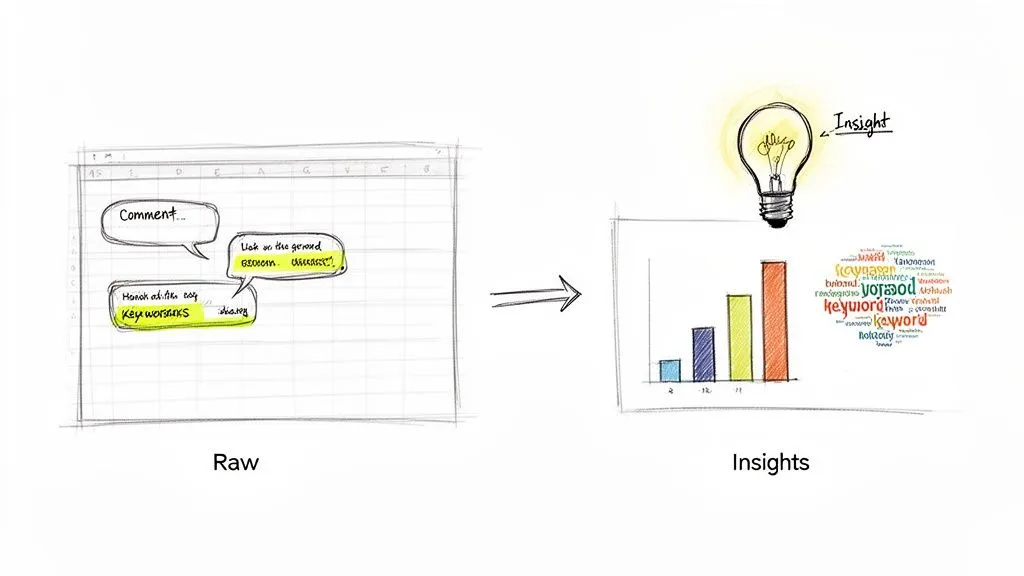
At first glance, it might just look like a long list of names and text. But hidden inside are patterns and trends you’d never spot just by scrolling through the comment section on YouTube. With a few simple analysis tricks, you can unlock some powerful insights.
Uncovering Themes with Simple Spreadsheet Functions
You don’t need to be a data wizard to get started. Honestly, most of the initial heavy lifting can be done with basic spreadsheet functions you probably already use, like search, filter, and sort.
The first thing I always do is sort the entire dataset by the “Likes” column, from highest to lowest. This instantly bubbles up the most-liked comments, giving you a quick snapshot of what your audience really connects with.
Next, try using the filter function to hunt for specific keywords. Filtering for words like “question,” “idea,” or “confused” can immediately highlight viewer pain points and uncover some brilliant content opportunities you might have missed. For example, a tech reviewer could filter for a competitor’s product name to get direct, unfiltered feedback on how it stacks up against theirs.
Identifying Your Most Engaged Community Members
A great community isn’t just a number—it’s built around real, active people. Your exported comment data makes it incredibly easy to find these superfans.
Just sort the data by the “Author Name” column. This groups all the comments from each person together, letting you see who consistently shows up and contributes to the conversation. These are your people. Recognizing and engaging with them is one of the best ways to foster a loyal community.
The real magic happens when you move from simply reading comments to systematically analyzing them. A simple search for recurring questions can inspire your next viral video, while identifying your top commenters gives you a list of brand advocates to nurture.
These are your most valuable viewers. Think about pinning their best comments, giving them a shout-out in a future video, or even reaching out directly to thank them. A little recognition goes a long way.
Actionable Strategies for Different Goals
How you slice and dice this data really depends on your goals. A marketer and a content creator might look at the same export file but pull out completely different insights.
Let’s break down a few practical scenarios:
- For Content Creators: Are people asking the same questions over and over? That’s your cue to create a definitive FAQ video. You can also scan for repeated suggestions or requests—if enough people ask for it, you’ve got a validated idea for your next video series.
- For Marketers: You can perform a quick-and-dirty sentiment analysis on a new product video by searching for positive or negative keywords. It’s also a great way to monitor brand mentions on competitor channels to see how you’re perceived in the broader conversation.
These strategies are just the tip of the iceberg. With YouTube reaching an estimated 2.5 to 2.85 billion monthly active users, the pool of data is staggering. India alone has around 491 million users, generating a constant stream of feedback across countless niches.
For an even deeper layer of analysis, you can also look into the video’s content itself. Combining comment analysis with insights from tools for Mastering YouTube AI Transcript Generation gives you a complete picture of both the content and the audience’s reaction to it.
Moving Beyond Basic Analysis
Once you’ve mastered sorting and filtering, you can start digging for more nuanced patterns. Try looking at comment timestamps. Do comments spike at a particular point in the video? That’s a clear signal that something you said or showed really struck a chord.
For more advanced analysis, our purpose-built AI-powered comment analyzer can do the heavy lifting for you, quickly identifying themes and sentiment.
Ultimately, that downloaded comment file is a direct line to your audience’s mind. When you start treating it as a research tool, you can make smarter, data-backed decisions that will genuinely help your channel or brand grow.
Advanced Strategies for Large-Scale Analysis
If you’ve only ever looked at the comments on a single video, you’re just scratching the surface. The real magic happens when you start downloading YouTube comments at scale—pulling data from Shorts, live stream replays, or even an entire channel’s history. This is where you move beyond analyzing a single conversation and start mapping the entire ecosystem of your community.
Suddenly, you can see the bigger picture. You can spot trends and shifts in sentiment that are completely invisible when you’re just looking at one video at a time. I know, dealing with massive files holding hundreds of thousands of comments can feel like a huge task, but with the right game plan, you can turn all that raw data into some seriously powerful insights.
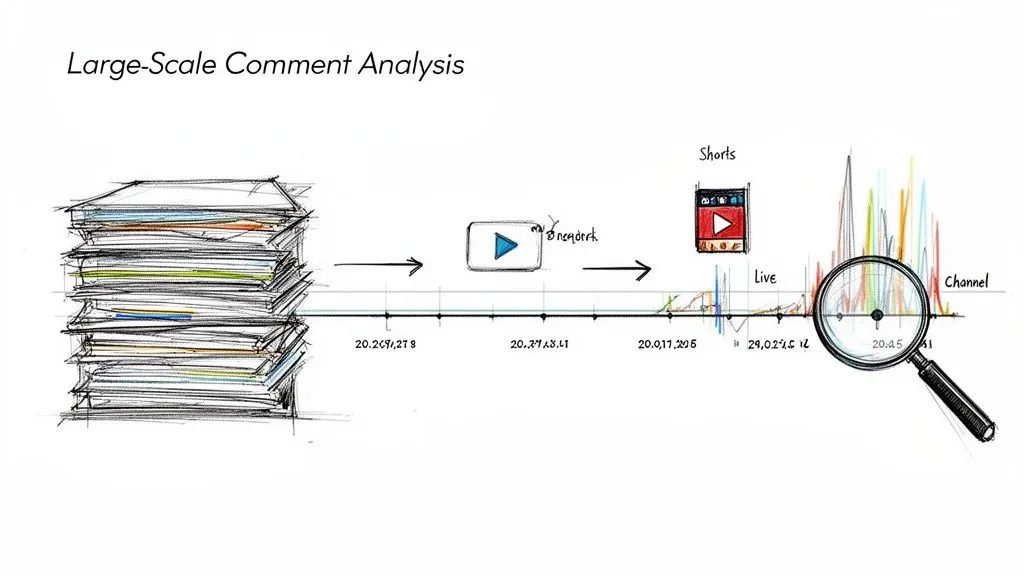
Tapping into the Shorts Phenomenon
YouTube Shorts has been a total game-changer, and the comment sections are a goldmine. The comments are fast, frequent, and often driven by whatever trend is exploding at that very moment. It’s a completely different beast compared to long-form video.
The numbers are just staggering. Shorts have racked up over 5 trillion views and are now pulling in more than 70 billion daily views. What’s really interesting for us is the engagement rate, which sits at 5.91%—way higher than what you see on competing platforms. It shows people aren’t just watching; they’re actively commenting. This creates a firehose of data every single day, a trend you can dive into with these YouTube user statistics from GlobalMediaInsight.com.
So, what can you find in all that noise?
- Rapidly Emerging Trends: This is ground zero for new slang, memes, and challenges. You can see them bubble up in real time.
- Quick-Fire Feedback: The short format encourages gut reactions. It’s raw, unfiltered audience sentiment.
- High-Volume Topic Ideas: Analyzing Shorts comments in bulk shows you the simple, catchy ideas that hook a broad audience.
Analyzing Timestamped Live Stream Chats
Live stream replays offer a unique dataset that I find incredibly valuable. Unlike regular comments, live chat messages are tethered to specific moments in the broadcast. When you download this data, those timestamps are your most powerful tool.
You can actually plot comment frequency against the video’s timeline to see exactly what moments lit up your chat. Was it a particular guest? A controversial topic? A product demo? This gives you a precise map of your audience’s attention, second by second.
For live streams, timestamp analysis is everything. It helps you pinpoint the “golden moments” of your broadcast, showing you exactly what made your audience lean in and react. This is direct, immediate feedback on what to do more of next time.
For instance, maybe you notice a massive spike in questions during a Q&A when you mention a certain software. That’s a huge signal from your audience that they’re hungry for a dedicated, deep-dive video on that topic.
Conducting Channel-Wide Sentiment Analysis
Want the ultimate bird’s-eye view? Download all the comments from your entire channel. This comprehensive dataset lets you track how conversations, attitudes, and sentiment have evolved over months or even years.
With a full channel export, you can finally answer those big strategic questions:
- Has our community’s overall tone become more positive or negative over the last year?
- What were the hot-button topics in our comments in Q1 versus Q4?
- Did that big shift in our content strategy last summer actually improve viewer sentiment?
My advice is to not try and boil the ocean. These files can be huge. Break your analysis into manageable chunks. Start by filtering for comments from the last quarter or search for keywords related to a recent product launch. This focused approach prevents you from getting overwhelmed and helps you find specific, actionable patterns in the data.
A Few Final Questions About Downloading YouTube Comments
Even once you see how powerful it is to turn a chaotic comment section into clean data, a few questions always come up. You’re dealing with public information, sure, but it’s important to be confident and responsible about how you handle it. Let’s clear up some of the most common uncertainties I hear about.
Think of this as your final check-in before you dive into a big comment analysis project. Getting these details right from the start can save you a ton of headaches later.
What Data Do I Actually Get in an Export?
This is usually the first thing people want to know. A good export is so much more than just a wall of text. It’s a structured dataset that keeps all the important context you’d lose if you were just copying and pasting by hand.
When you use a proper tool, you should expect to get:
- The Comment Text: The full comment, exactly as it was written.
- Author Details: The username and a link to the commenter’s channel.
- Engagement Stats: The number of likes and replies, which is perfect for spotting the most influential comments.
- Timestamps: The exact date and time a comment was posted.
- Thread Structure: This is a big one. It shows you which comments are replies to others, so you can actually follow a conversation instead of just seeing a jumbled list.
An export isn’t just a text dump; it’s a rich dataset. It tells you who said what, when they said it, how popular it was, and where it fits into the larger conversation. That structure is what makes real analysis possible.
What About Videos with Thousands of Comments?
So, what do you do when you need comments from a video with 500,000 views or an entire channel with a massive backlog? The file size can get huge—we’re talking hundreds of thousands, maybe even millions, of rows. If you try to open a file that big in Excel, you’re just asking for it to freeze and crash.
For these massive datasets, you have to be smart about it. Instead of trying to boil the ocean, filter your data before you even export. Maybe you only need comments from the last 90 days, or perhaps you’re only interested in comments that mention a specific product.
If you absolutely must work with the whole dataset, it’s time to bring in bigger tools. Databases or data analysis platforms like R or Python are built to handle this kind of scale without breaking a sweat. Another practical trick is to break the job into smaller pieces—export comments playlist by playlist or year by year to keep things manageable.
Is It Ethical to Analyze Public Comments?
This is a really important question. Generally speaking, analyzing public data like YouTube comments for research, marketing insights, or to improve your own content is perfectly fine. The information was posted on a public platform, so there’s no reasonable expectation of privacy.
That said, using this data ethically comes with some ground rules. If you’re going to share your findings, you absolutely should anonymize the data. That means stripping out usernames or any other information that could identify a specific person.
Remember, your goal is to understand trends, sentiment, and common themes—not to put individual users under a microscope. As long as you focus on the big picture and respect user privacy, you’re on solid ground. Be transparent about what you’re doing, and use what you learn to create better content or products.
Ready to turn chaotic comment sections into clear, actionable insights? YouTube Comments Downloader is the no-code research tool that makes it happen in seconds. Export comments from videos, Shorts, live streams, and entire channels into analysis-ready formats.